

Using and solving basic problems of cold containers.
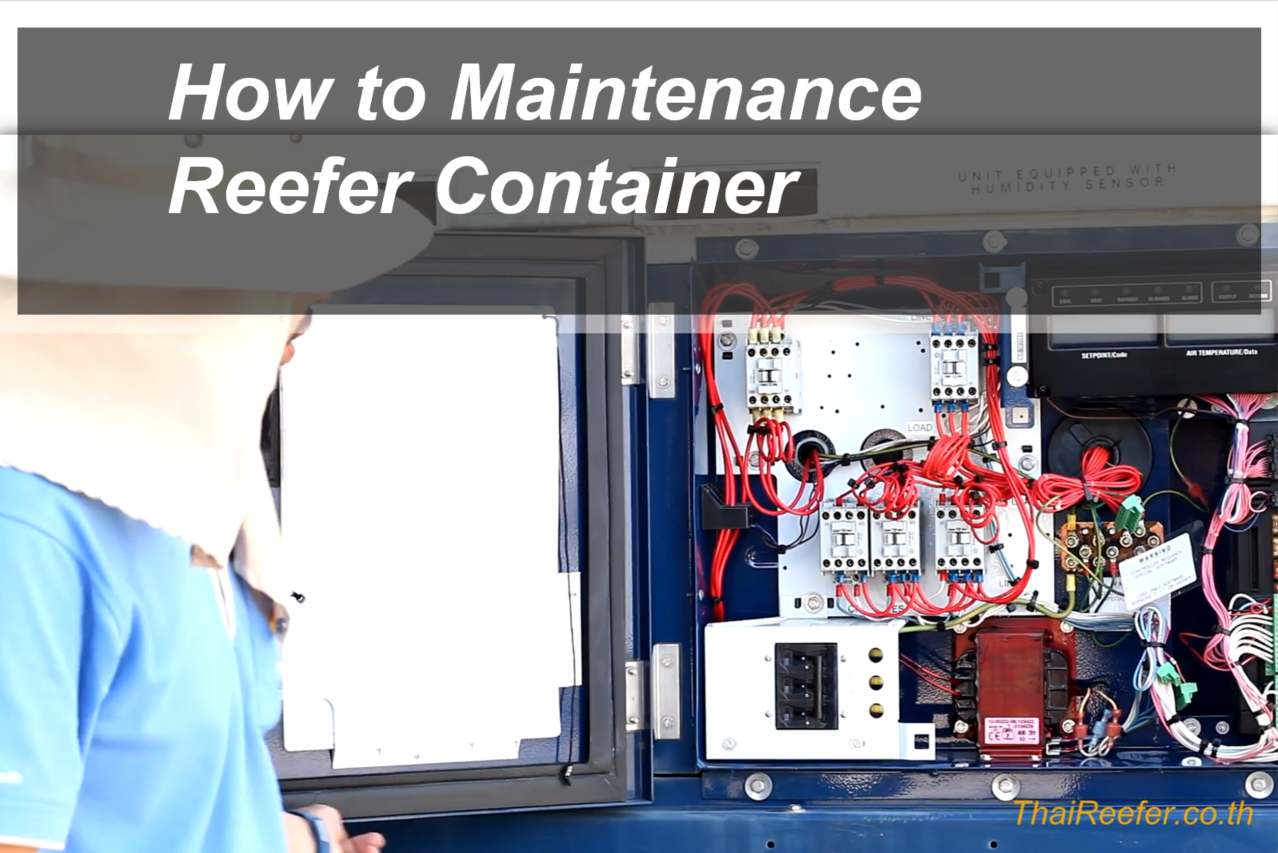
The front of the Reefer Container consists of the following parts:
- Mains 440V. 50Hz. – Serves to feed current into cold containers.
- Condenser fan – Serves to cool the refrigerated container.
- Compressor – Absorbs the liquid into the refrigeration system of the refrigerated container.
- Evaporator fan – Serves to blow cooling inside the refrigerated container.
- Receiver Tank – Serves to hold the solution to condense.
- Dryer – acts as a liquid filter.
- Function Code Sticker – Displays the operation code of the container, including current. Voltage, frequency, etc.
- Alarm Code Sticker – Explaining the Various Faults of Refrigerated Containers
- Diagram – Shows the electrical circuit diagram of a refrigerated container.
- Contractor Kit – Acts as a power bridge to power various equipment inside the cold container.
- Circuit breaker – Functions to turn on and off the operation of the refrigerated container.
- Transformer – Acts as an electrical converter.
- Display – Displays information, temperature, alarm, etc.
- Controller – Responsible for controlling the operation of various equipment inside the container.
- Keypad – Used to set up and control the various functions of the refrigerated container.
- On-off switch
How to Set Cold Container Temperature
Once the power plug is plugged in, adjust the circuit breaker to the On position and turn on the container operation switch. It can be noticed that when the container is running, the Display screen will be on both sides, the left side shows the set temperature and the right side shows the temperature inside the container.
Setting the temperature is done by pressing the Up and Down button on the Keypad to increase or decrease the number to be set. The temperature you want to set is on the display screen on the left, and when you get the temperature you want to set, press the Enter button.
How to clear the alarm (which can be fixed) of refrigerated containers
In case the refrigerated container malfunctions. The Display screen will show a red Alarm light and the Alarm Code will be displayed on the left side of the display screen (the Alarm Code error can be found from the Alarm Code sticker on the front of the device).
How to check if an alarm is an alarm can be cleared? This can be done by pressing the Alarm List button on the keypad once, and the Alarm Code will be displayed on the Display screen on the right side. You should consult a technician immediately, but if it is an alarm that starts with “IA”, it means that the error has been corrected.
Once it has been verified that it is an Alrarm that can be cleared, press the Alarm List button and press the up-down arrow buttons. Select the word “Clear” and press the “Enter” key.